

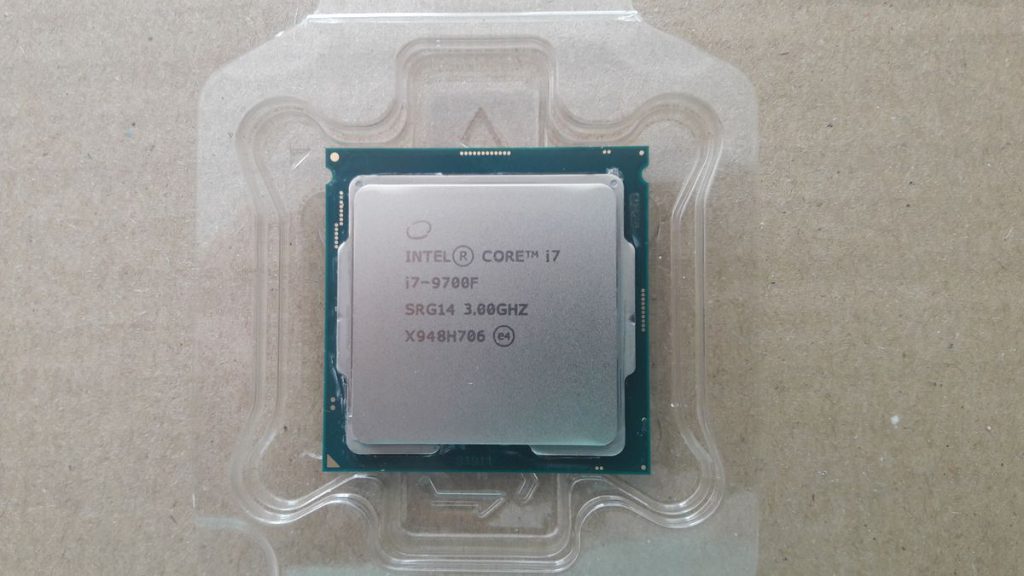
Intel, a leading manufacturer of computer processors, offers a wide range of CPU models across various series such as Core i5, Core i7, and Core i9. Each processor model comes with specific designations like K, F, or KF. This guide will help you understand what these letters mean and how they affect your choice when buying an Intel processor.
Decoding Intel’s K, F, and KF Designations
Let’s break down the meaning of each designation:
| Designation | Meaning |
|---|---|
| K | Unlocked processor, allowing for overclocking |
| F | No integrated graphics card (discrete GPU required) |
| KF | Unlocked processor with no integrated graphics |
K – Unlocked for Overclocking
Processors with the “K” designation are unlocked, meaning users can manually increase their clock speeds beyond the factory settings. This feature is particularly appealing to enthusiasts and gamers who want to squeeze extra performance from their CPUs.
Example: Intel Core i9-14900K
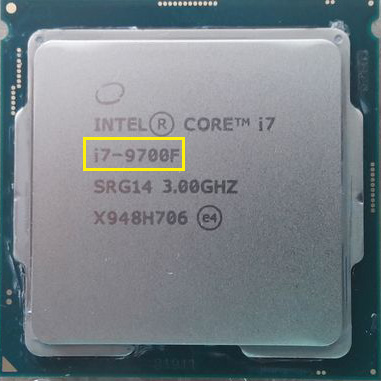
F – No Integrated Graphics
The “F” designation indicates that the processor lacks an integrated graphics card. Users will need to pair these CPUs with a discrete graphics card to output video.
Example: Intel Core i9-14900F
KF – Unlocked without Integrated Graphics
“KF” processors combine both features: they’re unlocked for overclocking and lack integrated graphics.
Example: Intel Core i9-14900KF
Performance Comparisons
When comparing processors with different designations (e.g., 14900K vs. 14900F), the performance differences are often minimal. The main distinctions lie in:
- Clock speeds: K models typically have slightly higher base clock speeds.
- Power consumption: F models tend to consume less power due to the absence of integrated graphics.
- Overclocking potential: Only K and KF models allow for overclocking.
Price Considerations
Generally, pricing follows this pattern:
- K models: Most expensive due to overclocking capabilities and integrated graphics.
- KF models: Mid-range pricing, offering overclocking but no integrated graphics.
- F models: Typically the cheapest option, ideal for users planning to use a discrete GPU.
However, market conditions can sometimes lead to unexpected pricing, so it’s always worth comparing current prices.
Which Intel Processor Should You Choose?
Your choice depends on your specific needs:
- For maximum flexibility: Choose a K model.
- For overclocking with a discrete GPU: A KF model is ideal.
- For budget-conscious builds with a separate graphics card: Consider an F model.
Remember, the right choice depends on your individual requirements, budget, and intended use of the system.